Key Takeaways
- Manual OS migrations put enormous strain on IT teams, and with the Windows 10 end-of-support date looming, IT teams need to figure out how to manage the migration with minimal disruption to business operations.
- Many elements in the migration process can be automated, including fleet assessment, surveying end users, deployment and validating changes.
- Engaging end users with communication and feedback during the migration can prevent frustration and maintain productivity.
I recently spoke with a CIO who had committed a large amount of IT resources to manually migrating computers from Windows 10 to Windows 11. The process required months of planning, device assessments, compatibility testing and hands-on coordination to avoid disruptions to day-to-day business operations. While their dedication ensured their rollout was on track for the looming Windows 11 end-of-support date, it highlighted the strain such projects place on internal teams.
My conversation with this CIO isn’t unique. Before becoming an Account Technology Strategist here at Ivanti, I worked in various roles in IT support and still bear the scars of the Windows XP to Windows 7 migration. I also spent years helping organizations plan, execute and troubleshoot OS upgrades — often under tight timelines, with limited resources.
Automation is key to any major upgrade project. It improves overall IT efficiency, reducing labor costs and human errors. In this blog, I’ll show you how you can use automation in your Windows 11 migration and where Ivanti Neurons bots can help.
Assess the fleet
Before starting any project, asset discovery is key: you can’t upgrade something you don’t know exists or isn’t really there. One Ivanti customer discovered that they had 30% more assets than they expected on their network! This echoes a study from Gartner that found 30% of IT fixed assets are "ghost" assets, or missing and can't be found, which further complicates the task.
Data that exists outside of the device, such as device warranty, is important too. Perhaps upgrading a device with three months’ warranty left isn’t really worth it — it may be replaced through a refresh cycle soon anyway, leaving more disruption for users.
A step you can automate is evaluating whether each device meets Microsoft’s minimum hardware requirements, which you can do in Ivanti Neurons using the Windows 11 Upgrade bot. Then, devices that don’t meet the necessary criteria can be flagged with an automatic ticket in your service or asset management solution. This helps provide the right data to IT-adjacent teams like Procurement for financial planning and purchasing new hardware.
Create a baseline for end-user experience
Creating a baseline helps IT measure the impact of the upgrade, identify potential areas of improvement to review post-upgrade and ensure that the new operating system meets or exceeds current performance levels. It also provides a point of reference for troubleshooting should any issues arise post-upgrade. This data is gold dust for the service desk team, who will be on hand to support users.
One way to create a baseline is with a DEX, or digital experience, score (which you can do in Ivanti Neurons). This quantifies the quality of an employee’s digital experience by aggregating data from various indicators like CPU usage, memory performance, application crashes, disk space and battery health. For example, excessive CPU usage or frequent application crashes can lower the score, while optimal performance in these areas contributes to a higher score. Sentiment analysis of service management incidents can also provide qualitative data that impacts the DEX score.
Surveying the end user bolsters telemetry-based metrics in the DEX score. Surveys provide IT with an early indicator of problems — but you can’t ask too many questions before the end user hits the dreaded mute button! A simple emoji response via Microsoft Teams gives you an empirical response, and a free text field gets user sentiment feedback.
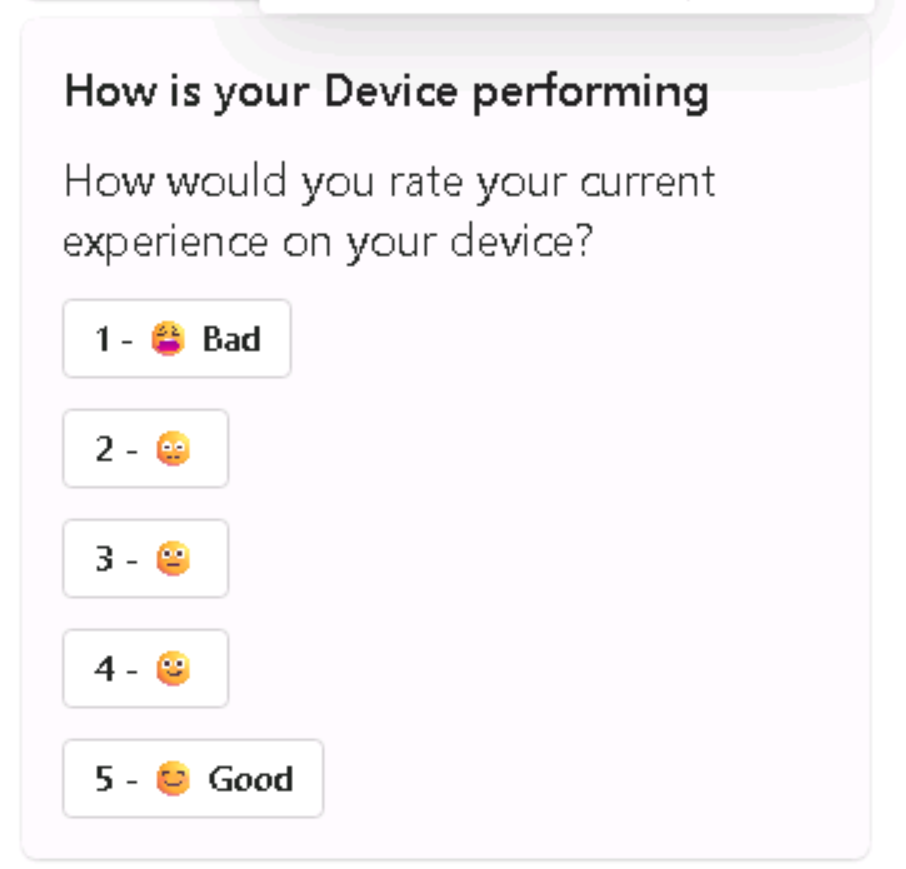
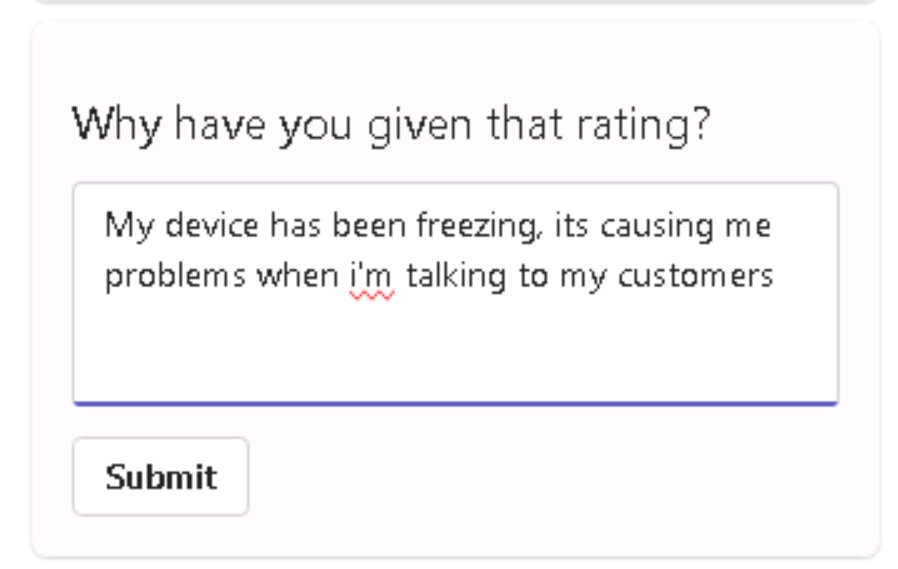
So how do you analyze the data at scale? Feeding these insights into AI for sentiment analysis lets you interpret the tone and emotion to detect frustration or satisfaction levels.
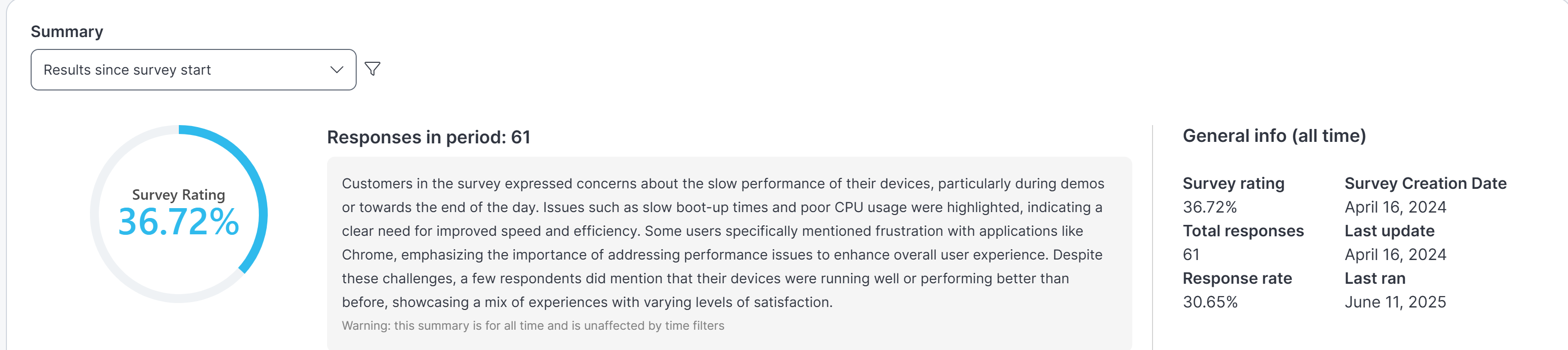
One big takeaway from any migration is its impacts on end users. IT should want the end user to feel part of the process, if not own it!
Put the user at the center of the W11 migration
At this stage, we have devices suitable to upgrade and know our baseline. Now it’s time to interact with the end user.
IT leaders are all too aware of the potential impact that changes like system upgrades or new software deployments can have on end users, but this awareness doesn’t always translate into action. In the push to beat pending deadlines like Windows 10 End of Support, user experience considerations can be overlooked, leading to disruptions, frustration (reduced CSAT) or decreased productivity.
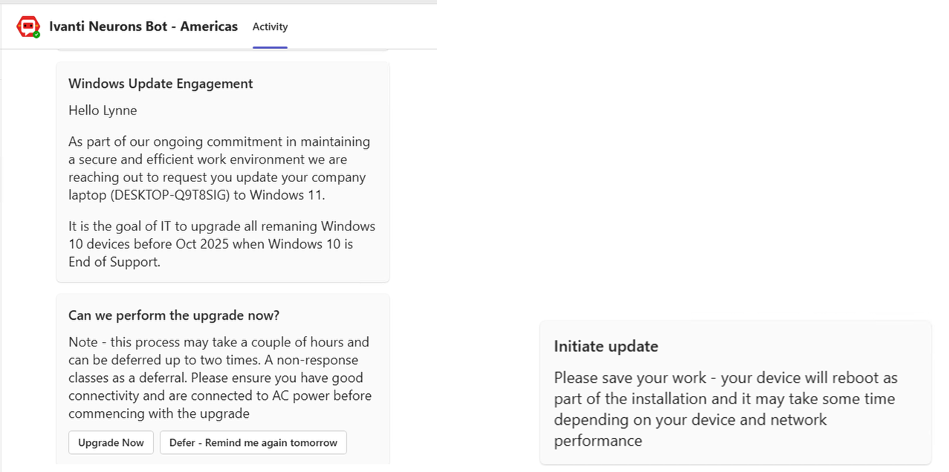
You can use automation, like the Windows 11 Upgrade bot, to keep the user in the loop, providing them a reason for the change and allowing them to schedule the upgrade at a convenient time.
Validate changes with end users
When changes like system updates are made to their computers, end users often face disruptions to their familiar workflows. A major change like upgrading to Windows 11 can lead to confusion, reduced productivity and frustration, especially if the upgrade was unexpected or poorly communicated. Users may struggle to find previously accessible features, encounter compatibility issues, or experience slower performance, all of which can create a sense of being unsupported.
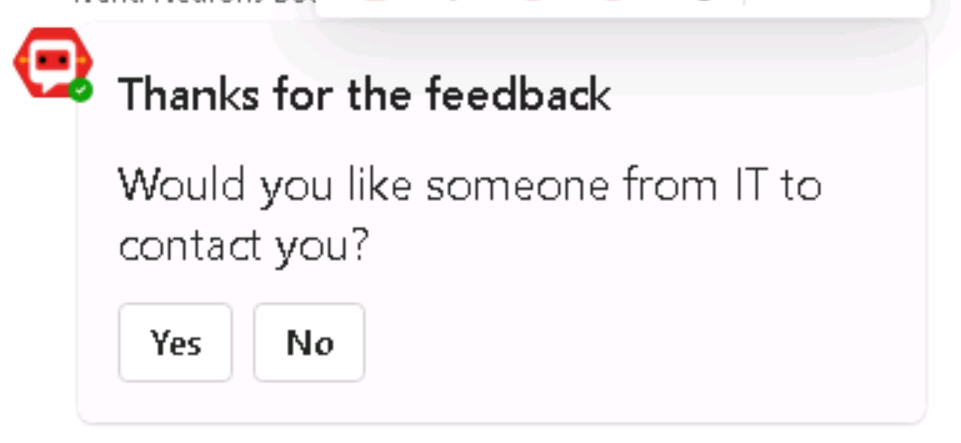
Surveys have shown that knowledge workers experience such issues 3–4 times per day and often don’t raise support cases. A bot like the Ivanti Neurons Survey bot can be used here, capturing end user sentiment and feedback. So far, automation has done much of the hard work in your Windows 11 migration, but there will always be humans … as it stands anyway! A survey offers an opportunity to bring a human into the loop where applicable.
Software updates – and more! – with Ivanti Neurons bots
So, you’ve read a little of how the Windows 11 bot works. This is just one use case for an Ivanti Neurons bot. The same principles can also apply to major upgrades of any software, but also to a wide array of automation use cases on devices:
- Reduce IT operational costs by automating manual steps.
- Limit opportunities to introduce human error through manual processes.
- Ensure the user is engaged and, crucially, happy with the process and their new operating system.
Neurons bots help IT teams proactively identify, diagnose, and resolve issues across endpoints and devices, often before users even notice the problem. Bots communicate with devices in real time, run queries and perform actions to keep systems healthy and secure.
You can check out some of the ways our bots help automate, accelerate and enhance IT operations, freeing up time for you to work on what matters, by visiting the Bot Library.
FAQ
What is an Ivanti Neurons bot?
Neurons bots take automated actions that would otherwise be performed manually by your IT team. You can use them to take proactive steps to resolve endpoint issues before users notice them or to accelerate ticket resolution. Low-code/no-code automation lets you create bots with a simple, visual editor.
Can Ivanti Neurons bots be used for other IT tasks besides OS upgrades?
Absolutely! Ivanti Neurons bots support a multitude of automation tasks, with many use cases across device optimization, user productivity and cyber hygiene.